

Free Camera Movement Transition is a creative video transition concept designed for video editors, filmmakers, motion designers, vloggers, and content creators who want to connect scenes with smooth, dynamic, and visually engaging camera-style movements. This Free After Effects template provides a starting point for creating transitions inspired by camera pans, zooms, directional movements, and fast cinematic motion. These effects can help make video edits feel more connected, energetic, and professional.
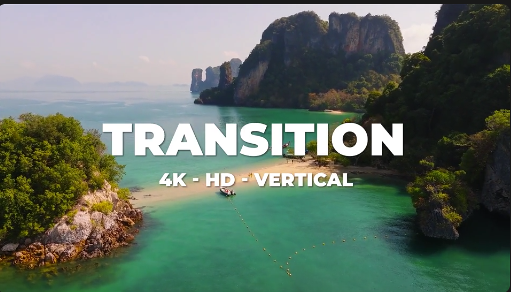
Camera movement transitions create the impression that the viewer is moving naturally from one shot to another. Instead of relying only on standard cuts or fades, editors can use movement, direction, and timing to create a more immersive visual experience. A well-timed camera transition can connect two clips, introduce a new location, emphasize an action, or add momentum to a sequence. Free Camera Movement Transition is suitable for projects that benefit from fluid scene changes and dynamic visual storytelling.
Travel vloggers and adventure creators can use camera movement transitions for destination videos, holiday montages, road trips, city tours, nature films, and travel documentaries. Combine footage of landscapes, streets, landmarks, hotels, and activities with complementary camera movements to create a smooth progression between locations. These transitions can help maintain the rhythm of a travel edit while making changes between shots feel more intentional.
Social media creators can incorporate Free Camera Movement Transition into Instagram Reels, TikTok videos, YouTube Shorts, Facebook Reels, and other short-form content. Use dynamic transitions in lifestyle videos, fashion edits, daily vlogs, fitness clips, cinematic montages, and behind-the-scenes content. Camera-style movement can help add variety to fast-paced edits and keep the visual flow consistent across multiple shots.
Filmmakers and video editors can use camera movement transitions in cinematic sequences, promotional films, music videos, event highlights, wedding films, and creative showreels. Directional movement can connect wide shots with close-ups, transition between different environments, or emphasize a change in perspective. When the movement aligns with the composition of the source footage, the result can feel smoother and more natural than an unrelated visual effect.
Brands and businesses can use camera movement transitions in product advertisements, promotional campaigns, corporate videos, brand films, and digital marketing content. Dynamic scene changes can help showcase products, introduce services, reveal locations, and move between different campaign visuals. Pair the transitions with clean typography, branded colors, product footage, and suitable music to create a cohesive presentation.
Fashion creators, photographers, and lifestyle influencers can explore this transition style for outfit videos, editorial films, product showcases, beauty content, and portfolio reels. Camera movements can help connect different poses, locations, products, and compositions while maintaining a consistent visual rhythm. Matching the direction and speed of movement across clips can make the final edit feel more polished and visually appealing.
Music video editors and motion designers can use camera movement transitions for beat-driven edits, artist promotions, concert recaps, lyric videos, and performance montages. Synchronizing transitions with musical accents can create a stronger sense of energy and help the visuals follow the rhythm of the soundtrack. Combining movement with motion blur, sound effects, and complementary color grading can further enhance the cinematic quality of a sequence.
Freelance editors and creative agencies can use Free Camera Movement Transition as a starting point for client projects that require dynamic video editing. It can be useful for advertisements, event recaps, real estate videos, sports highlights, travel promotions, brand presentations, and social media campaigns. Reusable transition assets can also help streamline editing workflows when producing multiple videos with a consistent visual style.
Adobe After Effects provides tools for creating and refining camera-inspired motion graphics and video transitions. Depending on the original template's features, you may be able to adjust animation timing, modify movement direction, customize transition intensity, replace footage, and combine the effects with your own graphics. Always check the original asset specifications for supported After Effects versions, required plugins, included files, and available customization controls before using the template.
For the best results, choose transitions that complement the movement already present in your footage. A left-to-right camera pan can work well when the next shot follows a similar direction, while a zoom-style transition may suit clips with a strong central subject. Keep the timing consistent with the music and the pace of the story. Avoid using an overly strong movement effect on every cut, as selective transitions often create a cleaner and more professional result.
Free Camera Movement Transition can also inspire creative editing techniques such as whip pans, directional zooms, simulated camera pushes, fast reframing, and cinematic scene changes. The exact effects available depend on the original asset, but the general approach is useful for creating more engaging visual connections between shots.
Whether you are editing a travel vlog, producing a cinematic montage, creating a fashion Reel, promoting a product, or developing a professional showreel, Free Camera Movement Transition offers a useful starting point for dynamic video storytelling. Explore more Free After Effects templates, camera transitions, cinematic effects, motion graphics, and video editing resources on Freevideofx to discover creative assets for your next project.
Camera movement transitions create the impression that the viewer is moving naturally from one shot to another. Instead of relying only on standard cuts or fades, editors can use movement, direction, and timing to create a more immersive visual experience. A well-timed camera transition can connect two clips, introduce a new location, emphasize an action, or add momentum to a sequence. Free Camera Movement Transition is suitable for projects that benefit from fluid scene changes and dynamic visual storytelling.
Travel vloggers and adventure creators can use camera movement transitions for destination videos, holiday montages, road trips, city tours, nature films, and travel documentaries. Combine footage of landscapes, streets, landmarks, hotels, and activities with complementary camera movements to create a smooth progression between locations. These transitions can help maintain the rhythm of a travel edit while making changes between shots feel more intentional.
Social media creators can incorporate Free Camera Movement Transition into Instagram Reels, TikTok videos, YouTube Shorts, Facebook Reels, and other short-form content. Use dynamic transitions in lifestyle videos, fashion edits, daily vlogs, fitness clips, cinematic montages, and behind-the-scenes content. Camera-style movement can help add variety to fast-paced edits and keep the visual flow consistent across multiple shots.
Filmmakers and video editors can use camera movement transitions in cinematic sequences, promotional films, music videos, event highlights, wedding films, and creative showreels. Directional movement can connect wide shots with close-ups, transition between different environments, or emphasize a change in perspective. When the movement aligns with the composition of the source footage, the result can feel smoother and more natural than an unrelated visual effect.
Brands and businesses can use camera movement transitions in product advertisements, promotional campaigns, corporate videos, brand films, and digital marketing content. Dynamic scene changes can help showcase products, introduce services, reveal locations, and move between different campaign visuals. Pair the transitions with clean typography, branded colors, product footage, and suitable music to create a cohesive presentation.
Fashion creators, photographers, and lifestyle influencers can explore this transition style for outfit videos, editorial films, product showcases, beauty content, and portfolio reels. Camera movements can help connect different poses, locations, products, and compositions while maintaining a consistent visual rhythm. Matching the direction and speed of movement across clips can make the final edit feel more polished and visually appealing.
Music video editors and motion designers can use camera movement transitions for beat-driven edits, artist promotions, concert recaps, lyric videos, and performance montages. Synchronizing transitions with musical accents can create a stronger sense of energy and help the visuals follow the rhythm of the soundtrack. Combining movement with motion blur, sound effects, and complementary color grading can further enhance the cinematic quality of a sequence.
Freelance editors and creative agencies can use Free Camera Movement Transition as a starting point for client projects that require dynamic video editing. It can be useful for advertisements, event recaps, real estate videos, sports highlights, travel promotions, brand presentations, and social media campaigns. Reusable transition assets can also help streamline editing workflows when producing multiple videos with a consistent visual style.
Adobe After Effects provides tools for creating and refining camera-inspired motion graphics and video transitions. Depending on the original template's features, you may be able to adjust animation timing, modify movement direction, customize transition intensity, replace footage, and combine the effects with your own graphics. Always check the original asset specifications for supported After Effects versions, required plugins, included files, and available customization controls before using the template.
For the best results, choose transitions that complement the movement already present in your footage. A left-to-right camera pan can work well when the next shot follows a similar direction, while a zoom-style transition may suit clips with a strong central subject. Keep the timing consistent with the music and the pace of the story. Avoid using an overly strong movement effect on every cut, as selective transitions often create a cleaner and more professional result.
Free Camera Movement Transition can also inspire creative editing techniques such as whip pans, directional zooms, simulated camera pushes, fast reframing, and cinematic scene changes. The exact effects available depend on the original asset, but the general approach is useful for creating more engaging visual connections between shots.
Whether you are editing a travel vlog, producing a cinematic montage, creating a fashion Reel, promoting a product, or developing a professional showreel, Free Camera Movement Transition offers a useful starting point for dynamic video storytelling. Explore more Free After Effects templates, camera transitions, cinematic effects, motion graphics, and video editing resources on Freevideofx to discover creative assets for your next project.


