

Bring a personal, creative, and artistic touch to your videos with the Free Hand Writing Book – Handwritten Text Animation Motion Template. Designed for projects that benefit from natural-looking writing effects and expressive typography, this type of motion template can help you present words, quotes, titles, messages, and storytelling elements in a visually engaging way.
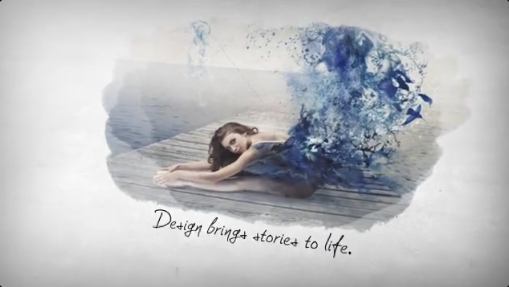
Handwritten text animations create the impression that words are being written onto the screen in real time. This effect can make a video feel more personal, intimate, educational, or artistic, depending on the typography and animation style. Whether you are creating a motivational video, a romantic slideshow, an educational presentation, a digital journal, a promotional video, or a creative social media post, a handwriting animation can help communicate your message with a distinctive visual style.
A Free Handwritten Text Animation Template provides a useful starting point for creating animated writing effects without building every motion element from scratch. Depending on the original project's features, you may be able to customize text, adjust animation timing, change selected colors, modify backgrounds, and adapt the available elements to suit your creative requirements.
A Free Handwriting Animation Template for After Effects can be useful for video editors who want to introduce text in a more expressive way than a standard fade-in or slide animation. Depending on the design, the effect may resemble writing in a notebook, drawing on paper, signing a name, writing a quotation, or revealing a handwritten message.
The visual style can range from neat and elegant lettering to casual notes, sketch-like writing, or expressive calligraphy. Selecting the right style helps establish the mood and makes the animation feel appropriate for the subject.
A Free Hand Writing Text Animation can be used to introduce quotes, display names, reveal short messages, highlight important phrases, or create a notebook-inspired visual sequence. Depending on the template, the writing may appear over a paper background, a plain surface, a photograph, or another compatible composition.
For a natural-looking result, pay attention to the pace of the animation. Short words may appear quickly, while longer phrases need enough time for viewers to follow the writing. The animation should remain readable and should not feel disconnected from the message being presented.
Teachers and educators can use handwriting effects to present definitions, formulas, short explanations, and important learning points. Online course creators can incorporate them into lessons, while content creators can use handwritten titles to introduce topics or emphasize essential information.
A Free Handwritten Text Animation Template can also support whiteboard-style educational content when the original design and typography are suitable for that purpose. Pairing animated text with diagrams, illustrations, and relevant examples can help create a more engaging learning experience.
For educational projects, prioritize legibility and make sure the writing speed gives viewers enough time to understand the information.
A Free Handwriting Text Animation Template can be useful for short motivational videos, personal development content, quote videos, and storytelling sequences. Creators can combine the writing effect with suitable background music, subtle motion, and complementary imagery to establish a particular mood.
For social media content, choose a concise message that can be comfortably read within the video's duration. Use appropriate contrast between the text and background, and avoid adding too many visual elements that compete with the handwritten lettering.
Use a Free Hand Writing Book Animation Template to introduce a dedication, display a short message, present a meaningful quotation, or create a notebook-inspired sequence. Wedding video editors can use handwritten text for names, dates, and personal messages, while creators making anniversary or birthday videos can use it to present thoughtful greetings.
Storytelling projects can also benefit from handwritten text when the visual style supports the narrative. For example, a diary-themed sequence may use animated writing to introduce a memory, while a documentary or short film may use it to display a note or personal reflection.
Choose typography and animation timing that complement the emotional tone of the content rather than distracting from it.
Creators can use handwriting effects for short-form videos, quote animations, personal announcements, educational tips, creative storytelling, product messages, and promotional content. The effect can also help establish a recognizable visual style across a recurring video series.
For vertical videos, check whether the original composition supports a portrait aspect ratio. You may need to reposition the text, adjust the background, or modify the layout to keep the writing visible on mobile screens.
Keep your message concise, use readable text, and make sure the animation begins promptly enough to hold the viewer's attention. If the video contains important information, consider including captions or a final static frame so viewers have time to read the complete message.
Begin by opening the project and reviewing its compositions, text layers, and included assets. Locate the editable text fields or designated placeholders, then replace the sample content with your own words or message.
Preview the writing animation to understand how the letters appear and whether the timing suits your text. Longer sentences may require different timing from shorter titles, depending on the available controls. If the project supports background or color customization, adjust those elements to match your intended visual style.
Check the final composition for readability, alignment, and appropriate spacing. If the template uses specific fonts, masks, effects, or additional plugins, review the included instructions and requirements before editing.
The exact customization process depends on the original project's capabilities and compatibility with your version of After Effects. Not every template supports arbitrary text replacement or automatically animates every font in the same way.
Control the writing speed: Make sure the animation is fast enough to maintain interest but slow enough for viewers to read the text.
Maintain strong contrast: Use a background and text color combination that keeps the writing easy to see.
Keep messages concise: Short phrases and carefully edited sentences often work better than long paragraphs in animated writing sequences.
Use appropriate backgrounds: Paper textures, notebooks, clean backgrounds, and subtle imagery can complement handwriting effects when they suit the template.
Synchronize with audio: Suitable music or sound effects can strengthen the visual experience without overwhelming the message.
Check spelling and punctuation: Review every line before exporting, especially when using names, quotations, or educational information.
Preview on mobile devices: Make sure the writing remains readable when the video is viewed on a smaller screen.
Review software requirements: Check the template's compatibility, fonts, plugins, and included assets before beginning your project.
Check licensing: Confirm that the template and any included fonts, audio, and other assets permit your intended use.
Teachers and course creators can use animated writing to explain concepts, while motivational content creators can present inspirational messages. Wedding filmmakers and event editors can add personal touches to highlight videos, and businesses can use handwriting effects for creative promotions, brand messages, and storytelling content.
Beginners can use pre-designed motion projects as a starting point for learning animated typography, while experienced editors can adapt supported elements to suit their production workflow. The final result depends on the original template's features, the selected typography, and the way the animation is incorporated into the video.
Whether you want to create handwritten quotes, educational videos, romantic messages, notebook-style storytelling, motivational content, or engaging social media posts, a handwriting animation template can provide a useful starting point.
Choose a style that suits your message, customize the available elements, and refine the animation timing to create a polished result. With readable typography, thoughtful pacing, and a consistent visual style, you can turn ordinary text into a memorable animated writing experience.
Discover Free Handwritten Text Animation Templates on Freevideofx and add a personal, creative touch to your next video project.
Handwritten text animations create the impression that words are being written onto the screen in real time. This effect can make a video feel more personal, intimate, educational, or artistic, depending on the typography and animation style. Whether you are creating a motivational video, a romantic slideshow, an educational presentation, a digital journal, a promotional video, or a creative social media post, a handwriting animation can help communicate your message with a distinctive visual style.
A Free Handwritten Text Animation Template provides a useful starting point for creating animated writing effects without building every motion element from scratch. Depending on the original project's features, you may be able to customize text, adjust animation timing, change selected colors, modify backgrounds, and adapt the available elements to suit your creative requirements.
What Is a Handwritten Text Animation Template?
A handwritten text animation template is a pre-designed motion graphics project that creates the visual impression of text being written, drawn, or revealed on screen. It can simulate the appearance of handwriting with cursive lettering, handwritten fonts, pen-like strokes, and animated text reveals.A Free Handwriting Animation Template for After Effects can be useful for video editors who want to introduce text in a more expressive way than a standard fade-in or slide animation. Depending on the design, the effect may resemble writing in a notebook, drawing on paper, signing a name, writing a quotation, or revealing a handwritten message.
The visual style can range from neat and elegant lettering to casual notes, sketch-like writing, or expressive calligraphy. Selecting the right style helps establish the mood and makes the animation feel appropriate for the subject.
Create Realistic Writing Effects for Video Projects
Handwriting animations can make static text more engaging by revealing letters and words progressively. Instead of displaying an entire sentence at once, the animation guides the viewer through the message as it appears.A Free Hand Writing Text Animation can be used to introduce quotes, display names, reveal short messages, highlight important phrases, or create a notebook-inspired visual sequence. Depending on the template, the writing may appear over a paper background, a plain surface, a photograph, or another compatible composition.
For a natural-looking result, pay attention to the pace of the animation. Short words may appear quickly, while longer phrases need enough time for viewers to follow the writing. The animation should remain readable and should not feel disconnected from the message being presented.
Perfect for Educational and Explainer Videos
Handwritten text animations can be especially useful for educational content, tutorials, training videos, and explainer presentations. The appearance of writing can help introduce concepts, highlight key terms, or create the impression of notes being added to a page.Teachers and educators can use handwriting effects to present definitions, formulas, short explanations, and important learning points. Online course creators can incorporate them into lessons, while content creators can use handwritten titles to introduce topics or emphasize essential information.
A Free Handwritten Text Animation Template can also support whiteboard-style educational content when the original design and typography are suitable for that purpose. Pairing animated text with diagrams, illustrations, and relevant examples can help create a more engaging learning experience.
For educational projects, prioritize legibility and make sure the writing speed gives viewers enough time to understand the information.
Enhance Motivational Videos and Inspirational Quotes
Handwritten typography is a popular visual style for presenting inspirational messages, motivational quotes, personal reflections, and positive affirmations. The gradual appearance of the words can create a thoughtful atmosphere and encourage viewers to focus on the message.A Free Handwriting Text Animation Template can be useful for short motivational videos, personal development content, quote videos, and storytelling sequences. Creators can combine the writing effect with suitable background music, subtle motion, and complementary imagery to establish a particular mood.
For social media content, choose a concise message that can be comfortably read within the video's duration. Use appropriate contrast between the text and background, and avoid adding too many visual elements that compete with the handwritten lettering.
Create Romantic, Personal, and Storytelling Videos
Handwriting effects can add warmth and personality to videos about relationships, celebrations, personal memories, and meaningful experiences. The visual appearance of handwritten words can resemble a letter, diary entry, journal note, or personal message.Use a Free Hand Writing Book Animation Template to introduce a dedication, display a short message, present a meaningful quotation, or create a notebook-inspired sequence. Wedding video editors can use handwritten text for names, dates, and personal messages, while creators making anniversary or birthday videos can use it to present thoughtful greetings.
Storytelling projects can also benefit from handwritten text when the visual style supports the narrative. For example, a diary-themed sequence may use animated writing to introduce a memory, while a documentary or short film may use it to display a note or personal reflection.
Choose typography and animation timing that complement the emotional tone of the content rather than distracting from it.
Use Handwriting Animation for Social Media Content
A Free Handwritten Text Animation Template can be adapted for content on Instagram, YouTube, Facebook, and other social media platforms, depending on the template's layout and customization options.Creators can use handwriting effects for short-form videos, quote animations, personal announcements, educational tips, creative storytelling, product messages, and promotional content. The effect can also help establish a recognizable visual style across a recurring video series.
For vertical videos, check whether the original composition supports a portrait aspect ratio. You may need to reposition the text, adjust the background, or modify the layout to keep the writing visible on mobile screens.
Keep your message concise, use readable text, and make sure the animation begins promptly enough to hold the viewer's attention. If the video contains important information, consider including captions or a final static frame so viewers have time to read the complete message.
Customize Your Handwriting Template in Adobe After Effects
Adobe After Effects is a powerful application for creating animated typography, motion graphics, and text reveals. Depending on the original template's features and project structure, you may be able to replace placeholder text, adjust writing speed, customize selected colors, modify backgrounds, and change other available animation settings.Begin by opening the project and reviewing its compositions, text layers, and included assets. Locate the editable text fields or designated placeholders, then replace the sample content with your own words or message.
Preview the writing animation to understand how the letters appear and whether the timing suits your text. Longer sentences may require different timing from shorter titles, depending on the available controls. If the project supports background or color customization, adjust those elements to match your intended visual style.
Check the final composition for readability, alignment, and appropriate spacing. If the template uses specific fonts, masks, effects, or additional plugins, review the included instructions and requirements before editing.
The exact customization process depends on the original project's capabilities and compatibility with your version of After Effects. Not every template supports arbitrary text replacement or automatically animates every font in the same way.
Tips for Creating Professional Handwritten Text Animations
Choose suitable typography: Select a handwritten style that matches the mood of your project, whether elegant, casual, playful, artistic, or educational.Control the writing speed: Make sure the animation is fast enough to maintain interest but slow enough for viewers to read the text.
Maintain strong contrast: Use a background and text color combination that keeps the writing easy to see.
Keep messages concise: Short phrases and carefully edited sentences often work better than long paragraphs in animated writing sequences.
Use appropriate backgrounds: Paper textures, notebooks, clean backgrounds, and subtle imagery can complement handwriting effects when they suit the template.
Synchronize with audio: Suitable music or sound effects can strengthen the visual experience without overwhelming the message.
Check spelling and punctuation: Review every line before exporting, especially when using names, quotations, or educational information.
Preview on mobile devices: Make sure the writing remains readable when the video is viewed on a smaller screen.
Review software requirements: Check the template's compatibility, fonts, plugins, and included assets before beginning your project.
Check licensing: Confirm that the template and any included fonts, audio, and other assets permit your intended use.
Who Can Benefit from a Free Handwritten Text Animation Template?
A Free Handwritten Text Animation Template can be useful for video editors, motion designers, YouTubers, educators, social media creators, photographers, filmmakers, graphic designers, freelancers, and marketing professionals.Teachers and course creators can use animated writing to explain concepts, while motivational content creators can present inspirational messages. Wedding filmmakers and event editors can add personal touches to highlight videos, and businesses can use handwriting effects for creative promotions, brand messages, and storytelling content.
Beginners can use pre-designed motion projects as a starting point for learning animated typography, while experienced editors can adapt supported elements to suit their production workflow. The final result depends on the original template's features, the selected typography, and the way the animation is incorporated into the video.
Explore Free Handwriting Animation Templates on Freevideofx
Looking for a Free Hand Writing Book – Handwritten Text Animation Motion Template for your next creative project? Explore Freevideofx for digital assets, motion graphics, animated typography, video effects, and creative resources that can support your video editing workflow.Whether you want to create handwritten quotes, educational videos, romantic messages, notebook-style storytelling, motivational content, or engaging social media posts, a handwriting animation template can provide a useful starting point.
Choose a style that suits your message, customize the available elements, and refine the animation timing to create a polished result. With readable typography, thoughtful pacing, and a consistent visual style, you can turn ordinary text into a memorable animated writing experience.
Discover Free Handwritten Text Animation Templates on Freevideofx and add a personal, creative touch to your next video project.


