

Make a powerful first impression with a Free Intro Template designed to help creators introduce their videos, brands, channels, and creative projects with professional animated visuals. A well-crafted intro establishes the tone of your content, introduces your identity, and gives viewers a memorable opening experience. Whether you are producing YouTube videos, promotional content, cinematic films, business presentations, gaming videos, or social media content, an intro template can help you create a polished beginning without building every animation from scratch.
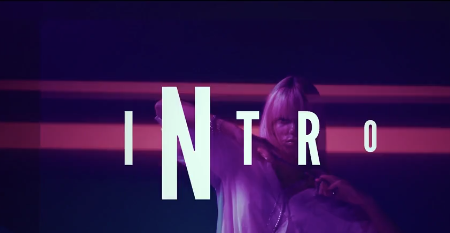
A video intro is the opening segment of a video that introduces a creator, brand, topic, or production. It may feature animated logos, typography, visual effects, transitions, background music, and sound effects. Depending on the design, an intro can feel cinematic, minimal, energetic, futuristic, elegant, or corporate.
With a Free Intro Template, video editors and content creators can start with an existing animation structure and customize it to suit their individual style. Depending on the original project's features, you may be able to replace the logo, edit text, adjust colors, modify timing, and personalize selected visual elements to create an intro that reflects your brand identity.
A Free Video Intro Template can save editing time by providing a ready-made starting point for motion graphics and animation. Instead of creating every transition and animation manually, you can focus on adapting the existing design to your content and ensuring that the final result matches your creative direction.
Intro templates can be used for personal channels, professional portfolios, business presentations, advertisements, educational videos, and entertainment content. The best choice depends on the subject, audience, platform, and overall style of your video.
A Free YouTube Intro Template provides a starting point for creating an opening that matches your channel's theme. For a technology channel, a clean digital animation may be appropriate, while a travel channel may benefit from cinematic imagery and smooth movement. Gaming creators may prefer energetic typography and dramatic effects, depending on the style of their content.
Keep the opening concise and relevant to the video. A short, well-paced intro can establish your identity without delaying the main content. Consistent use of a recognizable logo, color palette, and typography can also help reinforce your channel's branding over time.
A Free Logo Intro Template may feature logo reveals, animated shapes, typography, light effects, particle elements, or other visual treatments, depending on the original design. These elements can add movement and visual interest while helping your logo become the focal point of the composition.
Businesses can use logo intros in company profile videos, product demonstrations, brand announcements, event presentations, and marketing campaigns. Freelancers and creative agencies can also incorporate them into portfolio videos and client deliverables when the template's license permits the intended use.
For a professional result, ensure that your logo remains clear and recognizable throughout the animation. Choose colors and effects that complement your brand rather than overpowering its identity.
Cinematic intro: Suitable for short films, trailers, documentaries, travel videos, and dramatic storytelling. Atmospheric visuals and carefully paced animation can create a strong opening mood.
Minimal intro: Ideal for professional portfolios, educational videos, tutorials, and modern brands. Clean typography and restrained movement help keep the focus on the message.
Glitch intro: A popular choice for gaming videos, technology content, digital themes, and energetic promotional material. Distorted typography and digital-style effects can create a distinctive visual identity.
3D logo intro: Useful for presenting a logo with dimensional movement and dramatic visual treatment when supported by the template.
Corporate intro: Appropriate for company profiles, presentations, business promotions, agency videos, and professional communications.
Typography intro: Uses animated words, titles, and text compositions to introduce a topic or brand message.
Choose an intro style that supports your content and audience. The most effective opening is not necessarily the one with the most effects, but the one that communicates your identity clearly.
You can adapt a suitable intro for YouTube videos, Instagram content, Facebook videos, LinkedIn posts, and other platforms, provided the original project supports the necessary layout and aspect ratio. Depending on the template, you may need to reposition text, resize logos, or adjust the composition for vertical, square, or landscape formats.
Marketing teams can use intros to introduce campaign videos, promotional announcements, product launches, and event highlights. Educational creators can use them to introduce lessons or topic-based video series, while freelancers can add branded openings to portfolio presentations and client projects.
Always make sure the intro fits the format and viewing habits of your intended audience. A short opening with clear branding is often more effective than a long sequence that delays the main message.
Start by opening the project and reviewing its compositions, layers, and included media. Locate the designated logo or text placeholders and replace them with your own assets. Check that the logo is correctly positioned and scaled, and ensure that text remains readable throughout the animation.
Next, customize the available colors and visual elements to match your brand identity. If supported, adjust the timing of the logo reveal, transitions, and other animated components to create a suitable pace. You can also add compatible audio or sound effects to enhance the opening.
Before exporting, preview the complete animation to check for missing files, incorrect alignment, unwanted cropping, and visual inconsistencies. Confirm that the template is compatible with your installed After Effects version and review any additional requirements listed with the asset.
Use recognizable branding: Include your logo, channel name, or title where appropriate, and maintain consistent brand colors and typography.
Prioritize readability: Make sure titles and logos are easy to recognize against the background and remain visible during animation.
Match the content: Select a style that suits your subject, whether it is business, gaming, education, travel, entertainment, or filmmaking.
Use sound thoughtfully: Appropriate music and sound effects can strengthen an intro, but they should complement rather than overwhelm the visuals.
Avoid unnecessary effects: Too many transitions, flashes, or animated elements can distract from your message.
Check the aspect ratio: Ensure the composition suits the platform where the video will be published.
Preview before exporting: Watch the animation from beginning to end and check its timing, alignment, media links, and final logo reveal.
Review licensing: Confirm the permitted uses of the template and any included fonts, music, footage, and other assets before publishing or delivering the finished video.
Beginners can use pre-designed intros as a starting point for learning motion graphics, while experienced editors can adapt existing projects to streamline video production. Businesses can create consistent branded openings, creators can establish a recognizable channel identity, and freelancers can enhance portfolio presentations with customized animations.
Intro templates are particularly useful for creators who publish videos regularly and want to maintain a consistent look across multiple projects. The final result depends on the original template's features, the quality of the supplied assets, and how carefully the animation is customized.
Whether you need a YouTube intro, animated logo reveal, cinematic opening, gaming intro, corporate presentation opener, or branded social media animation, the right template can provide a useful foundation for your creative workflow.
Choose an animation that reflects your identity, customize the available elements, and refine the timing to suit your project. With clear branding and thoughtful design, a well-crafted intro can help your videos begin with confidence and consistency.
Discover creative possibilities with Free Intro Templates on Freevideofx and create an opening that makes your content instantly recognizable.
A video intro is the opening segment of a video that introduces a creator, brand, topic, or production. It may feature animated logos, typography, visual effects, transitions, background music, and sound effects. Depending on the design, an intro can feel cinematic, minimal, energetic, futuristic, elegant, or corporate.
With a Free Intro Template, video editors and content creators can start with an existing animation structure and customize it to suit their individual style. Depending on the original project's features, you may be able to replace the logo, edit text, adjust colors, modify timing, and personalize selected visual elements to create an intro that reflects your brand identity.
What Is an Intro Template?
An intro template is a pre-designed video project that provides an animated opening for a video or presentation. It typically includes a sequence of visual elements arranged to reveal a logo, display a title, introduce a channel, or present a brand message.A Free Video Intro Template can save editing time by providing a ready-made starting point for motion graphics and animation. Instead of creating every transition and animation manually, you can focus on adapting the existing design to your content and ensuring that the final result matches your creative direction.
Intro templates can be used for personal channels, professional portfolios, business presentations, advertisements, educational videos, and entertainment content. The best choice depends on the subject, audience, platform, and overall style of your video.
Create Professional YouTube Intros
A recognizable intro can help establish a consistent visual identity for your YouTube channel. Creators can use animated titles, logos, and branded colors to introduce tutorials, vlogs, reviews, gaming videos, technology content, travel films, educational lessons, and entertainment videos.A Free YouTube Intro Template provides a starting point for creating an opening that matches your channel's theme. For a technology channel, a clean digital animation may be appropriate, while a travel channel may benefit from cinematic imagery and smooth movement. Gaming creators may prefer energetic typography and dramatic effects, depending on the style of their content.
Keep the opening concise and relevant to the video. A short, well-paced intro can establish your identity without delaying the main content. Consistent use of a recognizable logo, color palette, and typography can also help reinforce your channel's branding over time.
Showcase Your Brand with an Animated Logo Intro
A logo intro is an effective way to introduce a business, agency, product, organization, or personal brand. By animating a logo and combining it with suitable motion graphics, you can create a branded opening for promotional videos, advertisements, presentations, and company communications.A Free Logo Intro Template may feature logo reveals, animated shapes, typography, light effects, particle elements, or other visual treatments, depending on the original design. These elements can add movement and visual interest while helping your logo become the focal point of the composition.
Businesses can use logo intros in company profile videos, product demonstrations, brand announcements, event presentations, and marketing campaigns. Freelancers and creative agencies can also incorporate them into portfolio videos and client deliverables when the template's license permits the intended use.
For a professional result, ensure that your logo remains clear and recognizable throughout the animation. Choose colors and effects that complement your brand rather than overpowering its identity.
Explore Different Intro Styles
Intro templates are available in a variety of visual styles, making it easier to find an opening that matches your project's purpose.Cinematic intro: Suitable for short films, trailers, documentaries, travel videos, and dramatic storytelling. Atmospheric visuals and carefully paced animation can create a strong opening mood.
Minimal intro: Ideal for professional portfolios, educational videos, tutorials, and modern brands. Clean typography and restrained movement help keep the focus on the message.
Glitch intro: A popular choice for gaming videos, technology content, digital themes, and energetic promotional material. Distorted typography and digital-style effects can create a distinctive visual identity.
3D logo intro: Useful for presenting a logo with dimensional movement and dramatic visual treatment when supported by the template.
Corporate intro: Appropriate for company profiles, presentations, business promotions, agency videos, and professional communications.
Typography intro: Uses animated words, titles, and text compositions to introduce a topic or brand message.
Choose an intro style that supports your content and audience. The most effective opening is not necessarily the one with the most effects, but the one that communicates your identity clearly.
Use Intro Templates for Social Media and Marketing
A Free Intro Template can be useful for creating branded openings for social media videos, advertisements, product promotions, and digital campaigns. Content creators can use intros to introduce recurring video series, while businesses can establish a consistent visual style across their video communications.You can adapt a suitable intro for YouTube videos, Instagram content, Facebook videos, LinkedIn posts, and other platforms, provided the original project supports the necessary layout and aspect ratio. Depending on the template, you may need to reposition text, resize logos, or adjust the composition for vertical, square, or landscape formats.
Marketing teams can use intros to introduce campaign videos, promotional announcements, product launches, and event highlights. Educational creators can use them to introduce lessons or topic-based video series, while freelancers can add branded openings to portfolio presentations and client projects.
Always make sure the intro fits the format and viewing habits of your intended audience. A short opening with clear branding is often more effective than a long sequence that delays the main message.
Customize Your Intro in Adobe After Effects
Adobe After Effects is widely used to create motion graphics, animated typography, logo reveals, and visual effects. Depending on the original template's features and project structure, you may be able to replace the placeholder logo, edit titles, change colors, adjust animation timing, and modify selected elements.Start by opening the project and reviewing its compositions, layers, and included media. Locate the designated logo or text placeholders and replace them with your own assets. Check that the logo is correctly positioned and scaled, and ensure that text remains readable throughout the animation.
Next, customize the available colors and visual elements to match your brand identity. If supported, adjust the timing of the logo reveal, transitions, and other animated components to create a suitable pace. You can also add compatible audio or sound effects to enhance the opening.
Before exporting, preview the complete animation to check for missing files, incorrect alignment, unwanted cropping, and visual inconsistencies. Confirm that the template is compatible with your installed After Effects version and review any additional requirements listed with the asset.
Tips for Creating an Effective Video Intro
Keep it concise: Make the opening long enough to introduce your brand but short enough to maintain the viewer's attention.Use recognizable branding: Include your logo, channel name, or title where appropriate, and maintain consistent brand colors and typography.
Prioritize readability: Make sure titles and logos are easy to recognize against the background and remain visible during animation.
Match the content: Select a style that suits your subject, whether it is business, gaming, education, travel, entertainment, or filmmaking.
Use sound thoughtfully: Appropriate music and sound effects can strengthen an intro, but they should complement rather than overwhelm the visuals.
Avoid unnecessary effects: Too many transitions, flashes, or animated elements can distract from your message.
Check the aspect ratio: Ensure the composition suits the platform where the video will be published.
Preview before exporting: Watch the animation from beginning to end and check its timing, alignment, media links, and final logo reveal.
Review licensing: Confirm the permitted uses of the template and any included fonts, music, footage, and other assets before publishing or delivering the finished video.
Who Can Benefit from a Free Intro Template?
A Free Intro Template can be useful for YouTubers, video editors, filmmakers, gaming creators, social media influencers, graphic designers, marketing professionals, freelancers, businesses, educators, and content production agencies.Beginners can use pre-designed intros as a starting point for learning motion graphics, while experienced editors can adapt existing projects to streamline video production. Businesses can create consistent branded openings, creators can establish a recognizable channel identity, and freelancers can enhance portfolio presentations with customized animations.
Intro templates are particularly useful for creators who publish videos regularly and want to maintain a consistent look across multiple projects. The final result depends on the original template's features, the quality of the supplied assets, and how carefully the animation is customized.
Explore Free Intro Templates on Freevideofx
Looking for a Free Intro Template for your next video project? Explore Freevideofx for creative video editing resources, motion graphics, logo animations, transitions, and templates that can help you build a professional opening for your content.Whether you need a YouTube intro, animated logo reveal, cinematic opening, gaming intro, corporate presentation opener, or branded social media animation, the right template can provide a useful foundation for your creative workflow.
Choose an animation that reflects your identity, customize the available elements, and refine the timing to suit your project. With clear branding and thoughtful design, a well-crafted intro can help your videos begin with confidence and consistency.
Discover creative possibilities with Free Intro Templates on Freevideofx and create an opening that makes your content instantly recognizable.


