

Present your creative work in a polished, professional, and visually engaging way with a Free Presentation Mockup designed for showcasing presentations, branding concepts, business proposals, creative portfolios, and design projects. A presentation mockup helps you display your slides and visual content in a realistic or professionally arranged scene, making it easier for clients, colleagues, and audiences to understand how your work looks when presented.
Whether you are a graphic designer preparing a client proposal, a business professional presenting a strategy, a student showcasing an academic project, or a creative agency building a portfolio, presentation mockups can help transform ordinary slides into compelling visual presentations.
A Free Presentation Mockup Template provides a useful starting point for displaying slide designs, pitch decks, company profiles, marketing strategies, product concepts, and other presentation materials. Depending on the original asset's features, you may be able to replace placeholder slides, adjust colors, customize backgrounds, modify layouts, and personalize selected elements to match your project.
A Free Presentation Mockup helps designers and professionals demonstrate the appearance of their slides without requiring an actual meeting room, photography session, or physical presentation setup. It can make a portfolio more attractive and help viewers understand the visual hierarchy, typography, colors, and overall design of a slide deck.
Presentation mockups are especially useful for showcasing work before a project is delivered or when preparing promotional materials for a design service, digital product, or business presentation.
A Free PowerPoint Presentation Mockup is useful for demonstrating how a finished slide deck appears outside the editing environment. Instead of sharing only flat slide images, you can place selected slides into a mockup composition that makes the presentation more visually engaging.
For example, a designer can display a title slide on a laptop screen, show multiple slides in a coordinated layout, or present a collection of presentation pages as part of a portfolio. The exact editing process depends on whether the supplied mockup uses editable image placeholders, layered project files, or another supported format.
A professionally arranged mockup can help communicate the quality and structure of a business presentation before the slides are delivered to stakeholders. Startups can use mockups to display pitch deck designs, while consultants and agencies can present their work in proposals and portfolio materials.
Marketing teams can also use presentation mockups to demonstrate campaign strategies, brand guidelines, customer research, product launches, and business reports. A consistent visual style helps the presentation appear organized and supports a professional impression.
When preparing a business mockup, ensure that the displayed content is legible and that important information is not distorted or obscured by perspective effects.
Freelancers can incorporate presentation mockups into portfolio websites, case studies, proposal documents, social media posts, and client presentations. Creative agencies can use them to demonstrate branding presentations, campaign concepts, and visual strategy documents.
Students and recent graduates can also use mockups to present academic projects, research presentations, design assignments, and final-year project work. A clean and well-organized mockup can improve the overall appearance of a portfolio while keeping the focus on the quality of the slides.
Choose a layout that complements the project rather than competing with it. A simple mockup often works best when the presentation itself contains detailed information or complex visual elements.
A Free Presentation Mockup can also support website hero graphics, blog illustrations, online course promotions, agency landing pages, and marketing campaign materials. Businesses can display selected slides from a company presentation to communicate their services, products, or expertise.
For social media, consider using a composition that remains clear on mobile devices. Select a small number of slides, keep the main subject prominent, and ensure that the visual presentation remains recognizable at smaller sizes.
Before publishing, confirm that any client information, financial data, internal documents, or other confidential details are authorized for public display.
Device-style mockups are useful for digital products, online courses, webinars, software demonstrations, educational materials, and corporate presentations. They can also help designers showcase responsive visual layouts or create promotional imagery for presentation templates.
Depending on the original mockup's features, you may be able to replace the screen content, change selected backgrounds, adjust the composition, or modify other supported elements. Some mockups may instead require you to prepare the slide image separately before placing it into the designated area.
Always check the mockup's dimensions and perspective before inserting your design. A slide that looks correct in the original presentation application may require adjustments to fit the mockup accurately.
Begin by opening the mockup file and reviewing its layers and instructions. If the project includes designated smart objects, you may be able to open the relevant placeholder, insert your slide design, save the changes, and return to the main composition to see the updated result.
Adjust the placement and cropping of your slide so that the important content remains visible. You can also refine brightness, contrast, shadows, or background colors when these options are available and appropriate for the design.
If the mockup is supplied as a flat image rather than an editable project, the customization process may be more limited. Check the asset details to confirm the included file formats, resolution, and editing requirements before starting.
Use high-resolution slides: Ensure that the source slide images have sufficient resolution for the intended output.
Maintain readability: Avoid excessive perspective distortion or small screen sizes that make the presentation difficult to understand.
Keep the composition balanced: Make sure the mockup supports the slides rather than drawing attention away from the content.
Use consistent branding: Match the presentation's colors, typography, and visual identity where appropriate.
Check slide alignment: Ensure that the inserted content fits the display area correctly and that important details are not cropped.
Protect confidential information: Remove private client data, sensitive business figures, and unpublished material unless you have permission to share them.
Review export settings: Select appropriate dimensions and image quality for websites, portfolios, presentations, and social media.
Check licensing: Confirm whether the mockup allows personal use, commercial projects, modification, and redistribution.
Designers can use mockups to showcase their work, businesses can prepare promotional material, and students can present academic projects more professionally. Freelancers can strengthen portfolio case studies, while agencies can demonstrate design concepts to potential clients.
Presentation mockups are suitable for a wide range of projects, including pitch decks, company profiles, marketing plans, educational presentations, brand guidelines, project reports, online courses, and digital product promotions. The best results come from choosing a mockup that complements the content and using clear, well-prepared slide designs.
Whether you want to showcase a PowerPoint deck, present a business proposal, display a creative portfolio, promote a presentation template, or prepare professional marketing graphics, a suitable mockup can help your work stand out.
Choose a design that matches your project, review its file format and compatibility, and customize the available elements to create a cohesive final presentation. With clear slides, balanced composition, and thoughtful customization, you can present your work in a more polished and engaging way using resources from Freevideofx.
Discover Free Presentation Mockups on Freevideofx and give your presentation designs a professional visual showcase.
Whether you are a graphic designer preparing a client proposal, a business professional presenting a strategy, a student showcasing an academic project, or a creative agency building a portfolio, presentation mockups can help transform ordinary slides into compelling visual presentations.
A Free Presentation Mockup Template provides a useful starting point for displaying slide designs, pitch decks, company profiles, marketing strategies, product concepts, and other presentation materials. Depending on the original asset's features, you may be able to replace placeholder slides, adjust colors, customize backgrounds, modify layouts, and personalize selected elements to match your project.
What Is a Presentation Mockup?
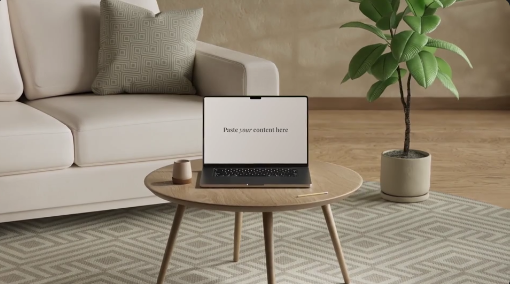
A presentation mockup is a visual representation of a presentation displayed within a designed setting. It may show slides on a laptop screen, desktop monitor, tablet, projector screen, or other presentation surface. Some mockups feature minimal backgrounds and clean compositions, while others include environmental scenes or professionally arranged layouts.A Free Presentation Mockup helps designers and professionals demonstrate the appearance of their slides without requiring an actual meeting room, photography session, or physical presentation setup. It can make a portfolio more attractive and help viewers understand the visual hierarchy, typography, colors, and overall design of a slide deck.
Presentation mockups are especially useful for showcasing work before a project is delivered or when preparing promotional materials for a design service, digital product, or business presentation.
Showcase PowerPoint and Google Slides Designs
Presentation mockups can help display slide decks created in PowerPoint, Google Slides, Keynote, and other presentation applications. Designers can use them to showcase title slides, business charts, infographics, product slides, marketing plans, company introductions, and portfolio layouts.A Free PowerPoint Presentation Mockup is useful for demonstrating how a finished slide deck appears outside the editing environment. Instead of sharing only flat slide images, you can place selected slides into a mockup composition that makes the presentation more visually engaging.
For example, a designer can display a title slide on a laptop screen, show multiple slides in a coordinated layout, or present a collection of presentation pages as part of a portfolio. The exact editing process depends on whether the supplied mockup uses editable image placeholders, layered project files, or another supported format.
Ideal for Business Presentations and Pitch Decks
Business professionals can use presentation mockups to showcase investor pitch decks, company profiles, strategic plans, financial summaries, sales presentations, and project proposals.A professionally arranged mockup can help communicate the quality and structure of a business presentation before the slides are delivered to stakeholders. Startups can use mockups to display pitch deck designs, while consultants and agencies can present their work in proposals and portfolio materials.
Marketing teams can also use presentation mockups to demonstrate campaign strategies, brand guidelines, customer research, product launches, and business reports. A consistent visual style helps the presentation appear organized and supports a professional impression.
When preparing a business mockup, ensure that the displayed content is legible and that important information is not distorted or obscured by perspective effects.
Perfect for Graphic Designers and Creative Portfolios
Graphic designers can use a Free Presentation Mockup Template to showcase their slide design skills, visual identity work, editorial layouts, infographics, and creative concepts. A mockup can help potential clients see how the presentation looks as a finished product rather than simply as a collection of individual slides.Freelancers can incorporate presentation mockups into portfolio websites, case studies, proposal documents, social media posts, and client presentations. Creative agencies can use them to demonstrate branding presentations, campaign concepts, and visual strategy documents.
Students and recent graduates can also use mockups to present academic projects, research presentations, design assignments, and final-year project work. A clean and well-organized mockup can improve the overall appearance of a portfolio while keeping the focus on the quality of the slides.
Choose a layout that complements the project rather than competing with it. A simple mockup often works best when the presentation itself contains detailed information or complex visual elements.
Use Presentation Mockups for Marketing and Social Media
Presentation mockups can be adapted for promotional graphics, service announcements, digital product marketing, and social media content. Designers can use them to advertise presentation design services, showcase templates, highlight portfolio projects, or introduce new digital products.A Free Presentation Mockup can also support website hero graphics, blog illustrations, online course promotions, agency landing pages, and marketing campaign materials. Businesses can display selected slides from a company presentation to communicate their services, products, or expertise.
For social media, consider using a composition that remains clear on mobile devices. Select a small number of slides, keep the main subject prominent, and ensure that the visual presentation remains recognizable at smaller sizes.
Before publishing, confirm that any client information, financial data, internal documents, or other confidential details are authorized for public display.
Create Realistic Device and Screen Presentations
Some presentation mockups display slides within device screens or presentation environments. These layouts can help demonstrate how a slide deck appears on a laptop, tablet, desktop monitor, or large display.Device-style mockups are useful for digital products, online courses, webinars, software demonstrations, educational materials, and corporate presentations. They can also help designers showcase responsive visual layouts or create promotional imagery for presentation templates.
Depending on the original mockup's features, you may be able to replace the screen content, change selected backgrounds, adjust the composition, or modify other supported elements. Some mockups may instead require you to prepare the slide image separately before placing it into the designated area.
Always check the mockup's dimensions and perspective before inserting your design. A slide that looks correct in the original presentation application may require adjustments to fit the mockup accurately.
Customize Your Presentation Mockup in Photoshop
Adobe Photoshop is commonly used to customize image-based and layered presentation mockups. Depending on the supplied file format and project structure, you may be able to replace placeholder artwork, edit supported layers, adjust colors, modify backgrounds, and refine the overall composition.Begin by opening the mockup file and reviewing its layers and instructions. If the project includes designated smart objects, you may be able to open the relevant placeholder, insert your slide design, save the changes, and return to the main composition to see the updated result.
Adjust the placement and cropping of your slide so that the important content remains visible. You can also refine brightness, contrast, shadows, or background colors when these options are available and appropriate for the design.
If the mockup is supplied as a flat image rather than an editable project, the customization process may be more limited. Check the asset details to confirm the included file formats, resolution, and editing requirements before starting.
Tips for Creating a Professional Presentation Mockup
Choose the right scene: Select a mockup that suits the purpose of your presentation, whether it is corporate, educational, creative, or promotional.Use high-resolution slides: Ensure that the source slide images have sufficient resolution for the intended output.
Maintain readability: Avoid excessive perspective distortion or small screen sizes that make the presentation difficult to understand.
Keep the composition balanced: Make sure the mockup supports the slides rather than drawing attention away from the content.
Use consistent branding: Match the presentation's colors, typography, and visual identity where appropriate.
Check slide alignment: Ensure that the inserted content fits the display area correctly and that important details are not cropped.
Protect confidential information: Remove private client data, sensitive business figures, and unpublished material unless you have permission to share them.
Review export settings: Select appropriate dimensions and image quality for websites, portfolios, presentations, and social media.
Check licensing: Confirm whether the mockup allows personal use, commercial projects, modification, and redistribution.
Who Can Benefit from a Free Presentation Mockup?
A Free Presentation Mockup can be useful for graphic designers, presentation designers, business professionals, entrepreneurs, marketing teams, students, educators, freelancers, consultants, and creative agencies.Designers can use mockups to showcase their work, businesses can prepare promotional material, and students can present academic projects more professionally. Freelancers can strengthen portfolio case studies, while agencies can demonstrate design concepts to potential clients.
Presentation mockups are suitable for a wide range of projects, including pitch decks, company profiles, marketing plans, educational presentations, brand guidelines, project reports, online courses, and digital product promotions. The best results come from choosing a mockup that complements the content and using clear, well-prepared slide designs.
Explore Free Presentation Mockups on Freevideofx
Looking for a Free Presentation Mockup for your next design or business project? Explore Freevideofx for creative digital assets and resources that can support presentation design, branding, marketing, portfolio development, and visual communication.Whether you want to showcase a PowerPoint deck, present a business proposal, display a creative portfolio, promote a presentation template, or prepare professional marketing graphics, a suitable mockup can help your work stand out.
Choose a design that matches your project, review its file format and compatibility, and customize the available elements to create a cohesive final presentation. With clear slides, balanced composition, and thoughtful customization, you can present your work in a more polished and engaging way using resources from Freevideofx.
Discover Free Presentation Mockups on Freevideofx and give your presentation designs a professional visual showcase.


